
























Qursor: A browser tool that copies structured UI element context for AI agents
By
Omkar Birje
Summary
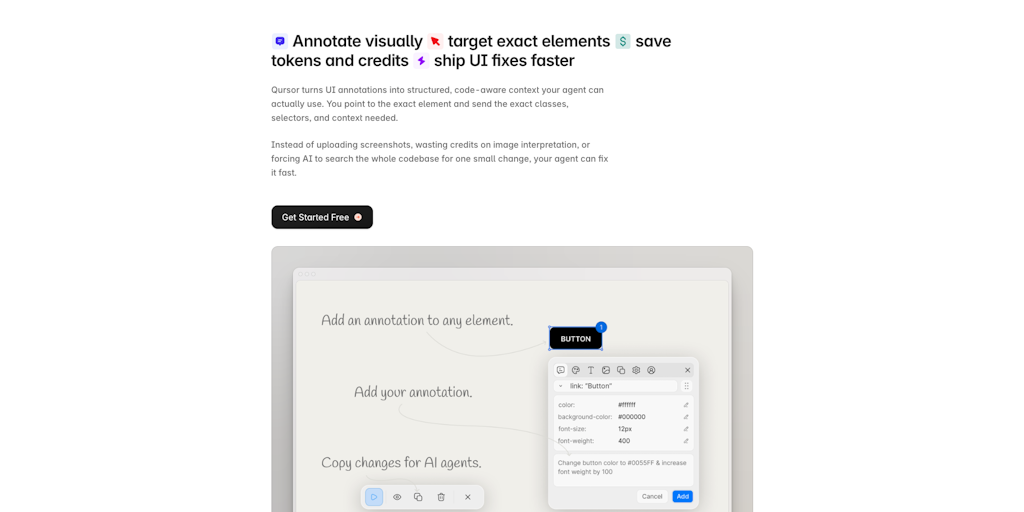
Qursor is a browser tool that lets users point at any UI element on a website and copy structured, code-aware context (selectors, classes, styles, fonts, colors) directly to their clipboard. It was built to solve the frustration of wasting AI tokens trying to describe UI elements to AI agents, replacing vague screenshots with precise, structured data. Features include font/color/spacing inspection, AI-ready element context extraction, component extraction as HTML/CSS/JSX, a color picker, font detector, and asset downloading.
Source
 Product HuntQursor: A browser tool that copies structured UI element context for AI agentsproducthunt.com
Key quotes
· 3 pulledI was using AI agents to make UI changes and kept running into the same wall: the agent would edit the wrong element, or I'd burn 10 prompts just trying to describe 'that blue button on the pricing page.'
Screenshots helped a little, but agents still had to interpret them, wasting tokens and time.
It lets you point at any element on any website, and it copies structured, code-aware context, selectors, classes, styles, fonts, and colors directly into your clipboard.
You might also wanna read


Webctl: Command-Line Browser Automation Tool for AI Agents and Humans
Webctl is a command-line browser automation tool designed for both AI agents and human users. The article argues that CLI-based browser auto
 github.com·5mo ago
Building a Basic HTML/CSS Browser Using Human Intelligence and AI Assistance
The article describes a personal experiment where the author combines human intelligence with an LLM agent to build a basic web browser from
 emsh.cat·5mo ago
AI Search - Website Source CSS content selectors for precise content extraction in AI Search

Search-Augmented Agents Cut Token Usage by 36% and Outperform Raw File Processing
This article explores the inefficiency of giving AI agents raw files (like research papers) to process, comparing it to a raccoon rummaging
.png) lighton.ai·9d ago
lighton.ai·9d ago
agent-browser | Browser Automation for AI
 agent-browser.dev·13d ago
VideoWeaver: A Benchmark for Evaluating AI Agent Skills in Long Video Generation
VideoWeaver is a new agent harness and benchmark designed to evaluate and improve AI agents' ability to generate long videos from a single i
 arxiv.org·23d ago
Comments
Sign in to join the conversation.
No comments yet. Be the first.