

























Windows File History: A built-in version backup tool that's disabled by default
By
Rob LeFebvre
Summary
Windows includes a built-in version history feature called File History that automatically backs up previous versions of files, allowing users to recover overwritten or accidentally saved work. However, this feature ships turned off by default, leaving many users unaware of its existence until after they've lost important data. The article explains how to enable and configure File History, compares it to alternatives like OneDrive versioning and third-party backup tools, and emphasizes the importance of proactive data protection for writers, students, and professionals working on critical documents.
Source
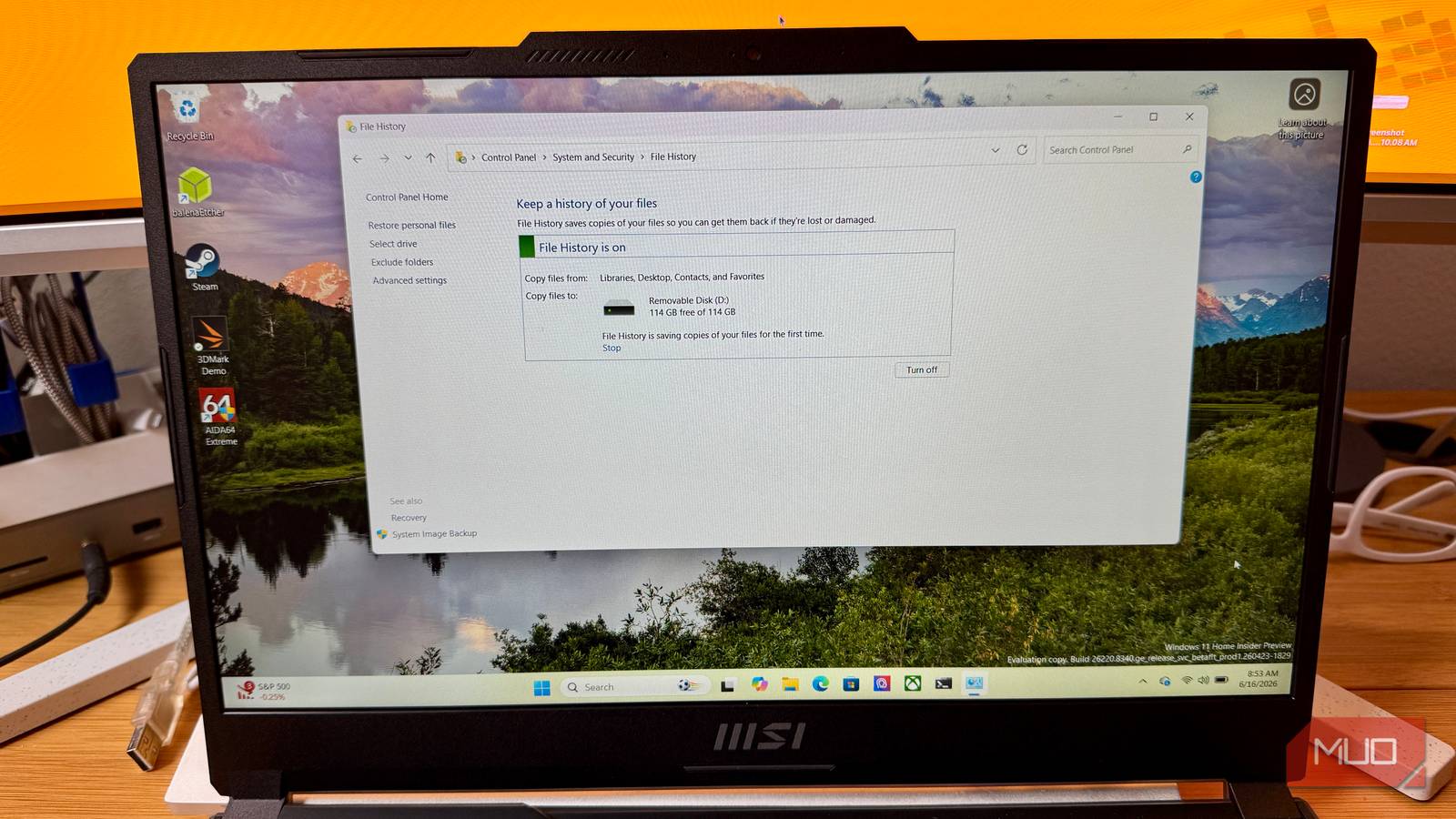
 bskyWindows File History: A built-in version backup tool that's disabled by defaultmakeuseof.com
Key quotes
· 3 pulledWe've all been there: losing work to an accidental overwrite.
Windows has a built-in version history tool that could save your novel, thesis, or work project — and it ships turned off.
A novel chapter gone because you hit save at the wrong moment. A thesis section, hours of work, now missing.
You might also wanna read


Implementing Time Machine-style Backups with rsync for Personal Data Protection
The article discusses the author's personal experience with implementing Time Machine-style backups using rsync after accidentally deleting
 samuelhewitt.com·4mo ago
Microsoft Changes Default Word Document Save Location to Cloud Storage on Windows
Microsoft is changing the default save location for Word documents on Windows, automatically saving new documents to OneDrive or the user's
 ghacks.net·10mo ago
How Windows handles unassociated file types across versions
A blog post examining how different versions of Windows handle clicking on unassociated file types (files without a default program). The au

User Frustration with Windows OneDrive Backup Integration and Limited Opt-Out Options
The article discusses user frustration with Microsoft's persistent Windows Backup and OneDrive integration, criticizing the lack of genuine
 idiallo.com·8mo ago
Windows 11 Introduces Self-Healing Feature in Latest Build
The new Windows 11 build introduces a self-healing 'quick machine recovery' feature along with other enhancements like Taskbar item shrinkin
arstechnica.com·11mo ago
File Sentinel: Shell History and File Monitoring Synchronization Tool
File Sentinel is a tool that monitors shell history files (like zsh_history and bash_history) and other text files, automatically syncing co
 Product Hunt·11mo ago
Comments
Sign in to join the conversation.
No comments yet. Be the first.