
























AgentBrush: An MCP Server for Generating On-Brand Images Directly in Coding Editors
AgentBrush is an MCP server tool that allows developers using Claude Code, Cursor, and Windsurf to generate on-brand images (product shots, icons, OG cards, mascots) directly within their coding editor without switching to external design tools. Built by Yanis and Jacques to solve the pain point of constantly context-switching between coding and design tools, it maintains brand consistency by storing brand guidelines once and applying them to all generated images.
Key quotes
I'd be deep in Claude Code, app basically done, then I'd need a product shot, an icon, an OG image, so I'd bounce to Midjourney, a photo studio, or Figma, re-explain my brand for the fifth time, and get back something off.
The app worked fine. It just looked like a robot made it, which, fair enough, one did.
the emotional, on-brand identity (think Duolingo, think Phantom) is what separates a simple site from
From the article
You might also wanna read


Penpot Experiments with MCP Servers for AI-Powered Design Workflows
Penpot, an open-source design tool, is experimenting with MCP (Model Context Protocol) servers to integrate AI capabilities into design work
 Smashing Magazine·6mo ago
Sandbox Agent: Run AI Coding Agents in Sandboxes with HTTP Control
The article describes Sandbox Agent, a tool for running coding agents in sandboxes with HTTP control. It supports multiple AI coding models
 github.com·5mo ago
Automated MCP Server Installation Instruction Generator for Multiple AI Coding Clients
This article introduces a tool that automatically generates installation instructions for MCP (Model Context Protocol) servers across variou
 hyprmcp.com·9mo ago
Siteimprove Embeds Accessibility Agent in Claude, Figma & VS Code

Agents, Workers - Build MCP servers with the Agents SDK
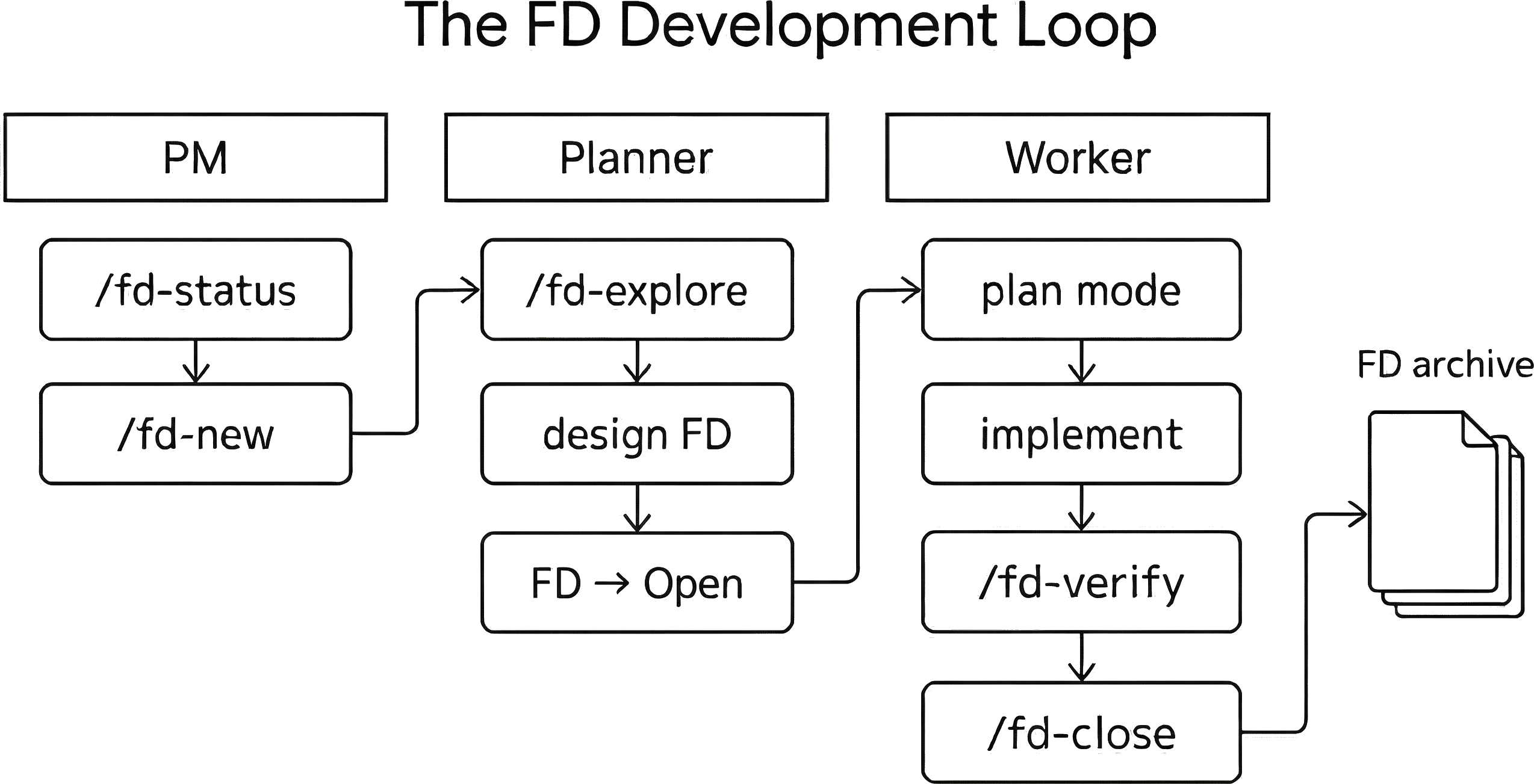
A Practical Workflow for Running 4-8 Parallel Coding Agents with tmux and Markdown Specifications
The article describes a practical workflow for running 4-8 parallel coding agents using a lightweight setup with tmux, Markdown files, bash
 schipper.ai·4mo ago
Comments
Sign in to join the conversation.
No comments yet. Be the first.