
























Windows 11's Virtualization-Based Security can throttle gaming performance; here's how to disable it
By
Jasmine Mannan
Summary
This article discusses how Windows 11's Virtualization-Based Security (VBS) feature can cause performance degradation in gaming PCs, particularly microstutters and erratic frame pacing in modern open-world games. It explains what VBS is, how it impacts gaming performance, and provides a simple 30-second method to disable it through the Windows Security app or Core Isolation settings. The article targets high-end gaming rig owners who experience unexplained performance issues.
Source
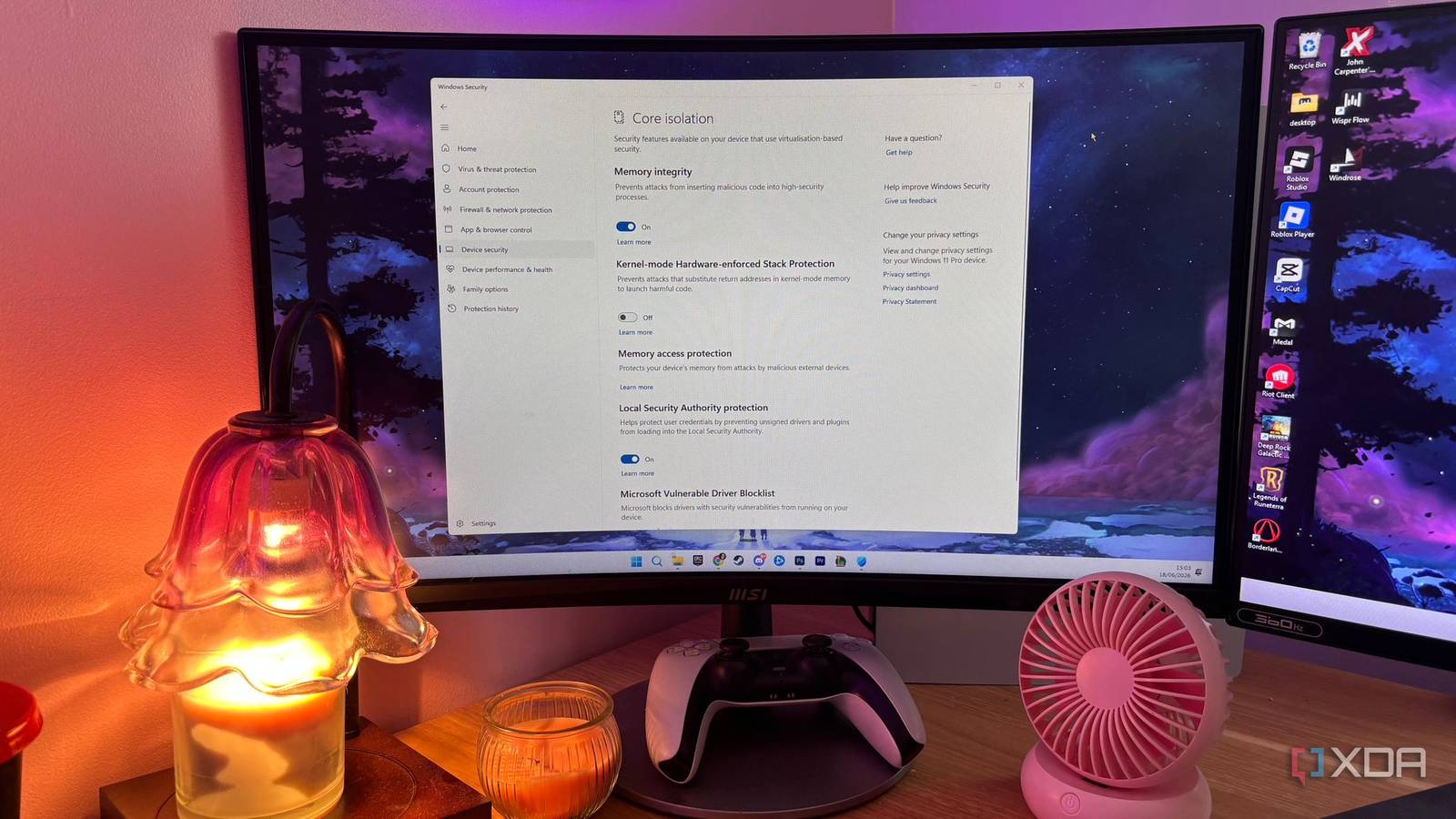
 Twitter / XWindows 11's Virtualization-Based Security can throttle gaming performance; here's how to disable itbit.ly
Key quotes
· 3 pulledWhen building a high-end gaming rig, you expect buttery-smooth performance. However, many users might face baffling microstutters and erratic frame pacing in heavy modern open-world games.
Disabling VBS is a straightforward process that takes about 30 seconds.
The hidden security layer runs in the background, consuming resources that could otherwise be used by your games.
You might also wanna read

How to unlock hidden Windows 11 performance settings for better speed and heat management
The article discusses how Microsoft hides several built-in Windows 11 performance settings that can help users boost system performance and
 neowin.net·20d ago
AMD Windows 10 Driver Bug May Be Silently Disabling Smart Access Memory and Hurting Gaming Performance
Windows 11 Quietly Adds Low Latency Profile to Boost Performance on Older PCs
Microsoft has quietly introduced a Low Latency Profile feature in Windows 11 that optimizes CPU performance during latency-sensitive tasks l
 slashgear.com·17d ago
Technical Analysis of Modern Kernel Anti-Cheat Systems in Gaming
This article provides an in-depth technical examination of modern kernel anti-cheat systems used in gaming. It explores how these sophistica
 s4dbrd.github.io·3mo ago
Benchmark Tests Suggest Windows 11 May Be Slowest Windows Version in 25 Years
A YouTuber's benchmark tests suggest Windows 11 may be the slowest Windows version in 25 years, even slower than the notoriously criticized

Security Analysis: Vulnerabilities in Tower of Fantasy's Anti-Cheat Driver Expose BYOVD Risks
A technical analysis of Tower of Fantasy's anti-cheat driver (GameDriverX64.sys) that reveals significant security vulnerabilities. The auth
 vespalec.com·4mo ago
Comments
Sign in to join the conversation.
No comments yet. Be the first.