
























WiFi 7 Speed Debugging: How iPhone Privacy Settings Reduced Speeds from 1.7 Gbps to 400 Mbps
Upgraded to WiFi 7 expecting 1.7 Gbps speeds. Got 400 Mbps instead. Here's what was actually wrong and how I fixed it.
Read the full articleYou might also wanna read

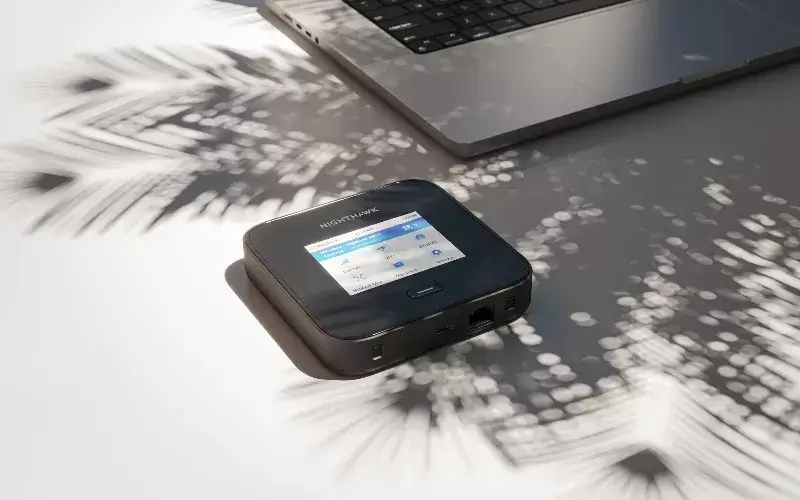
NETGEAR Launches Nighthawk M7 Pro Mobile Router with Wi-Fi 7 and Global 5G
High-performance Wi-Fi and global 5G – all in your pocket. The Nighthawk M7 Pro is NETGEAR’s most advanced mobile router, combining nex...
 comps.marieclaire.co.uk·1mo ago
Sluggish UI and stutter on iPhone 17 pro max.
Often, I notice there is stutter when using my iPhone 17 pro max. It's especially noticeable when swiping on the home screen etc. Icons ofte
Apple Unveils iOS 27 With Speed Improvements, Parental Controls, and Siri AI Upgrades
Discover 3 groundbreaking iOS 27 features set to transform your iPhone experience this fall. Stay ahead with the latest updates and must-hav
 rswebsols.com·1mo ago
Apple Intelligence iPhone 17 Pro Requirement Splits iOS 27 AI Tiers
Apple Intelligence iPhone 17 Pro Requirement Splits iOS 27 AI Tiers Apple raised the memory bar for its most capable on-device AI today at W

Tom's Guide Finds iOS 27 Up to 39.8% Faster in iPhone 17 Test
Apple promised that iOS 27 runs noticeably faster than its predecessor, and journalists decided to test that in practice. Two iPhone 17s wer
An Easy-to-Miss Radio Traffic Jam Is Behind Many Home WiFi Slowdowns
Home WiFi slowdowns often come from congestion on the shared 2.4 GHz and 5 GHz bands, where nearby networks compete for a small set of chann
Comments
Sign in to join the conversation.
No comments yet. Be the first.