
























SuperPrompt Chrome Extension: Save and Access AI Prompts in a Sidebar
Tired of rewriting the same AI prompts or digging through old docs to find them? SuperPrompt is a simple Chrome sidebar that saves your favorite prompts and lets you paste them instantly into any…
Read the full articleYou might also wanna read
AI2Web Chrome Extension Scores Any Website's AI Agent Readiness in One Click
A developer has released a free Chrome extension called AI2Web AI Readiness Checker, available on the Chrome Web Store. The tool allows user

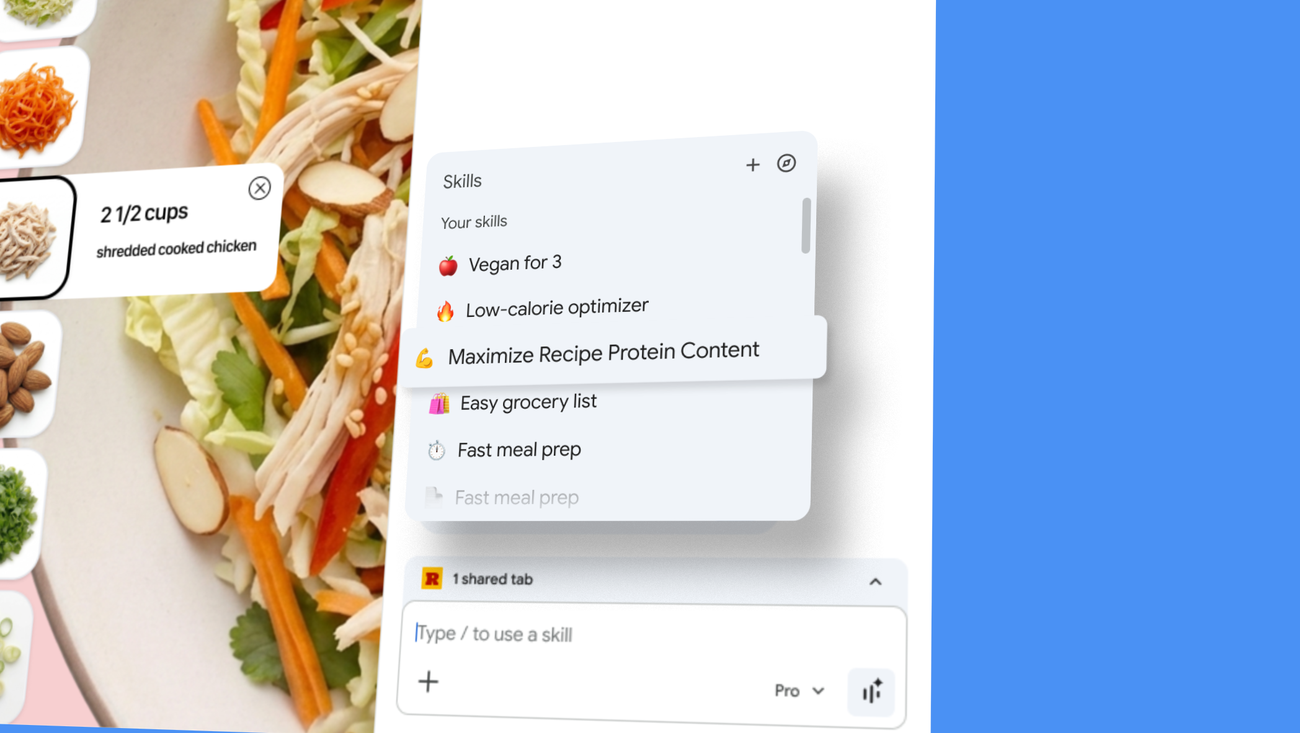
Google Chrome Introduces 'Skills' Feature to Save and Reuse AI Prompts as One-Click Tools
Skills in Chrome let you discover, save and remix AI workflows — and repeat them instantly.
 blog.google·3mo ago
Developer Builds Free Chrome Extension That Uses AI to Flag Risky Terms of Service
A developer has released ToS Radar PRO, a free Chrome extension that uses on-device AI to automatically scan Terms of Service and Privacy Po

Google Chrome Adds "Skills" Feature to Save and Reuse AI Prompts Across Webpages
Google is launching a new Chrome workflow feature that allows you to reuse your favorite Gemini commands across multiple web pages.
 The Verge·3mo ago
Grammit: AI-Powered Grammar Checker and Writing Assistant Chrome Extension
Check your grammar and refine your writing with local AI.
 chromewebstore.google.com·10mo ago
Introduction to a TypeScript Wrapper for Chrome's AI Prompt API
A lightweight TypeScript wrapper for Chrome's built-in AI Prompt API that trades flexibility for simplicity and type safety. - kstonekuan/si
github.com·1y ago
Comments
Sign in to join the conversation.
No comments yet. Be the first.