
























QSB-114: Intel CPU data exposure vulnerability
1mo ago
Source
Qubes OSQSB-114: Intel CPU data exposure vulnerabilityqubes-os.orgWe have published Qubes Security Bulletin (QSB) 114: Intel CPU data exposure vulnerability . The text of this QSB and its accompanying cryptographic signatures are reproduced below, followed by a general explanation of this announcement and authentication instructions. Qubes Security Bulletin 114 ---===[ Qubes Security Bulletin 114 ]===--- 2026-05-13 Intel CPU data exposure vulnerability User action ------------ Continue to update normally [1] in order to receive the security updates described in the "Patching" section below. No other user action is required in response to this QSB. Summary -------- On 2026-05-12, Intel published "2026.2 IPU-Intel Processor Firmware Advisory" (INTEL-SA-01420, CVE-2025-35979). [3] Unfortunately, this advisory does not provide sufficient information for us to make a definitive assessment about the extent to which this vulnerability affects the security of Qubes OS. Based on the limited information available, we surmise that it is likely that it might affect cross-qube data exposure. Impact ------- On affected systems, an attacker who has managed to compromise one qube can attempt to exploit this vulnerability in order to infer data belonging to other qubes. Affected systems ----------------- Intel Core Ultra Series 2 and 3 processors are affected. For a more detailed list of affected products, see Intel's "2026.2 IPU-Intel Processor Firmware Advisory." [3] Patching --------- The following packages contain security updates that address the vulnerabilities described in this bulletin: For Qubes 4.2 and 4.3, in dom0: - microcode_ctl version 2.1.20260512 These packages will migrate from the security-testing repository to the current (stable) repository over the next two weeks after being tested by the community. [2] Once available, the packages should be installed via the Qubes Update tool or its command-line equivalents. [1] Dom0 must be restarted afterward in order for the updates to take effect. If you use Anti Evil Maid, you will need to reseal your secret passphrase to new PCR values, as PCR18+19 will change due to the new microcode updates. Credits -------- See Intel's "2026.2 IPU-Intel Processor Firmware Advisory." [3] References ----------- [1] [2] [3] -- The Qubes Security Team Source: qsb-114-2026.txt Marek Marczykowski-Górecki ’s PGP signature -----BEGIN PGP SIGNATURE----- iQIzBAABCAAdFiEELRdx/k12ftx2sIn61lWk8hgw4GoFAmoFN9QACgkQ1lWk8hgw 4GqUbBAAiXjMrnNlWAfCno5WRQ+O//A+gvWNja8oVYqqGYIXOlT6nyIloGUueY4S q+Cg5QWsgFJ+gVFn0z3ZgIUi5ryIIvucesFP/ZG1ipmmu29dVaiQKcHRadAUInTI TMywxnz7LArebbu3saS3BpLGdYX3PdXVg5WFdUC3XHg+g0/AFR+RXZEjuvJ8vbM0 QPIRaGbBVnqSXQ7Y2fKia5uycQsZmn8ua4GB17LZYkbPgih6cwOe3R5fKuICCtZ2 OkjJFMfZEZEKzean66oPMPz5tBlMrmDlixrYsWYmaQO2P86fOt9QyoskJ3FEPtQZ ZNV+c8fD8aRp1xsDxTx6DKgSevldYrRbovW/+bBHcdbbnCxPYffRKbS71Nuk48RF 1Vj5D2mZRM7Vq4P5LSQHfRfoDk1eCRDSIvxw0jhpf4Jq2SO6FXZD/rFUcoCPerRJ ghUls8zWPbkgDPu8UMwkosZIOuHPoxmexm3U+wFb7n63R9iXRrS6wIjDlsoC8aZw WAlc8Ra+hASnGE1SWiBHE2uVLzNx7DKfa38mXph0eJ44FhLGBur4F8V/Jhqe9bCM oCAjP+1al8yDs/KQP2kI++mHqBsy2YKfEW3Jks/e3t/3e10tJ1W2a5I9cPPrIoAe /gZu6FtBmZAEFAmNuWWj+2wM4k2DLFq8ojE4lFjNqrfCxD+E6cY= =0kpC -----END PGP SIGNATURE----- Source: qsb-114-2026.txt.sig.marmarek Simon Gaiser (aka HW42) ’s PGP signature -----BEGIN PGP SIGNATURE----- iQIzBAABCgAdFiEE6hjn8EDEHdrv6aoPSsGN4REuFJAFAmoFossACgkQSsGN4REu FJCUfw/+OlXTGq66HQGv6O8Bp060fXmopjpJGSP/XJ6GC4OfDSNPQwwwuPHBFDyV ZH8BabEbwF8vVG0AEYgWtGOicGsOkrQgySGfnJ0SMMdmgfbrU3ADyA7tGrlgaSRX xqgX3gHtdvYT+WTplom66XPmRq+ANYL2De0ju23WXxwZ+H+twDB1hzmttzOpg95R EDkcblB0LPvmIlnLDwNv38lCwYJr4B0cANvdEafnwbvOGQV0VqYxWMfC2gvHHIQ9 Wbd4gPSczuwvMlac6paEZL1paA53IDDVaGu9mJJEvYS8Mv7PGc4Q4cSCbrCPJ5to Y3iAlWjAOFshcQvn5kq7RM5MDFrelQ+qb891PHBaH1TFZQnU5GXVM50l8k5wt6Eb bn8hWphr5U2c0smpr9/xO3WhDIMDu2ACddBFt1caqYtuyjhy/Z0D848aW0iRxyNq RM4DLqqR1vtk/Og9mbJg05hdExWy4tAuZscSIQasuv+KaUAwG2gaJTdric7aPH2R n/wGliEy+5U1ICm3kRVRpA8hYumYgIBd1Ez5zHrsp9sEPXrTbtsYrUzesyg74GN1 9GajWdJqSxpvQQSjnIFhZY3K1GqMzNpTr3ggnOKa4czDIqVCzALYHXB49N46l5yI JkO/MDVB4Iw4JCHS+9jR4Z0tcHWyC+FtA+rOgOpNPw7nL2RM4zA= =0Hee -----END PGP SIGNATURE----- Source: qsb-114-2026.txt.sig.simon What is the purpose of this announcement? The purpose of this announcement is to inform the Qubes community that a new Qubes security bulletin (QSB) has been published. What is a Qubes security bulletin (QSB)? A Qubes security bulletin (QSB) is a security announcement issued by the Qubes security team . A QSB typically provides a summary and impact analysis of one or more recently-discovered software vulnerabilities, including details about patching to address them. Why should I care about QSBs? QSBs tell you what actions you must take in order to protect yourself from recently-discovered security vulnerabilities. In most cases, security vulnerabilities are addressed by updating normally . However, in some cases, special user action is required. In all cases, the required actions are detailed in QSBs. What are the PGP signatures that accompany QSBs? A PGP signature is a cryptographic digital signature made in accordance with the OpenPGP standard. PGP signatures can be cryptographically verified with programs like GNU Privacy Guard (GPG) . The Qubes security team cryptographically signs all QSBs so that Qubes users have a reliable way to check whether QSBs are genuine. The only way to be certain that a QSB is authentic is by verifying its PGP signatures. Why should I care whether a QSB is authentic? A forged QSB could deceive you into taking actions that adversely affect the security of your Qubes OS system, such as installing malware or making configuration changes that render your system vulnerable to attack. Falsified QSBs could sow fear, uncertainty, and doubt about the security of Qubes OS or the status of the Qubes OS Project. How do I verify the PGP signatures on a QSB? The following command-line instructions assume a Linux system with git and gpg installed. (For Windows and Mac options, see OpenPGP software .) Obtain the Qubes Master Signing Key (QMSK), e.g.: $ gpg --fetch-keys gpg: directory '/home/user/.gnupg' created gpg: keybox '/home/user/.gnupg/pubring.kbx' created gpg: requesting key from ' gpg: /home/user/.gnupg/trustdb.gpg: trustdb created gpg: key DDFA1A3E36879494: public key "Qubes Master Signing Key" imported gpg: Total number processed: 1 gpg: imported: 1 (For more ways to obtain the QMSK, see How to import and authenticate the Qubes Master Signing Key .) View the fingerprint of the PGP key you just imported. (Note: gpg> indicates a prompt inside of the GnuPG program. Type what appears after it when prompted.) $ gpg --edit-key 0x427F11FD0FAA4B080123F01CDDFA1A3E36879494 gpg (GnuPG) 2.2.27; Copyright ( C ) 2021 Free Software Foundation, Inc. This is free software: you are free to change and redistribute it. There is NO WARRANTY, to the extent permitted by law. pub rsa4096/DDFA1A3E36879494 created: 2010-04-01 expires: never usage: SC trust: unknown validity: unknown [ unknown] (1). Qubes Master Signing Key gpg> fpr pub rsa4096/DDFA1A3E36879494 2010-04-01 Qubes Master Signing Key Primary key fingerprint: 427F 11FD 0FAA 4B08 0123 F01C DDFA 1A3E 3687 9494 Important: At this point, you still don’t know whether the key you just imported is the genuine QMSK or a forgery. In order for this entire procedure to provide meaningful security benefits, you must authenticate the QMSK out-of-band. Do not skip this step! The standard method is to obtain the QMSK fingerprint from multiple independent sources in several different ways and check to see whether they match the key you just imported. For more information, see How to import and authenticate the Qubes Master Signing Key . Tip: After you have authenticated the QMSK out-of-band to your satisfaction, record the QMSK fingerprint in a safe place (or several) so that you don’t have to repeat this step in the future. Once you are satisfied that you have the genuine QMSK, set its trust level to 5 (“ultimate”), then quit GnuPG with q . gpg> trust pub rsa4096/DDFA1A3E36879494 created: 2010-04-01 expires: never usage: SC trust: unknown validity: unknown [ unknown] (1). Qubes Master Signing Key Please decide how far you trust this user to correctly verify other users' keys (by looking at passports, checking fingerprints from different sources, etc.) 1 = I don't know or won't say 2 = I do NOT trust 3 = I trust marginally 4 = I trust fully 5 = I trust ultimately m = back to the main menu Your decision? 5 Do you really want to set this key to ultimate trust? (y/N) y pub rsa4096/DDFA1A3E36879494 created: 2010-04-01 expires: never usage: SC trust: ultimate validity: unknown [ unknown] (1). Qubes Master Signing Key Please note that the shown key validity is not necessarily correct unless you restart the program. gpg> q Use Git to clone the qubes-secpack repo. $ git clone Cloning into 'qubes-secpack'... remote: Enumerating objects: 4065, done. remote: Counting objects: 100% (1474/1474), done. remote: Compressing objects: 100% (742/742), done. remote: Total 4065 (delta 743), reused 1413 (delta 731), pack-reused 2591 Receiving objects: 100% (4065/4065), 1.64 MiB
You might also wanna read

Critical Undocumented Authentication Backdoor Found in Multiple Tenda Router Firmware Versions (CVE-2026-11405)
CERT/CC has disclosed a critical vulnerability (CVE-2026-11405) in multiple versions of Tenda firmware, revealing an undocumented authentica
kb.cert.org·6h ago

Git Commit Hash Malleability: Attackers Can Forge Verified Signatures Without Access to Signing Keys
This paper demonstrates a critical vulnerability in Git commit signing: an attacker can produce a second, distinct commit with identical tre
 arxiv.org·7h ago
The real cost, security, and culture problems behind enterprise AI agents
VentureBeat·10h ago

How to Decrypt ASP.NET View State Messages Using Auto-Generated Machine Keys from the Windows Registry
This article explains how to decrypt encrypted view state messages from compromised ASP.NET web applications. It covers the process of extra
 zeroed.tech·12h ago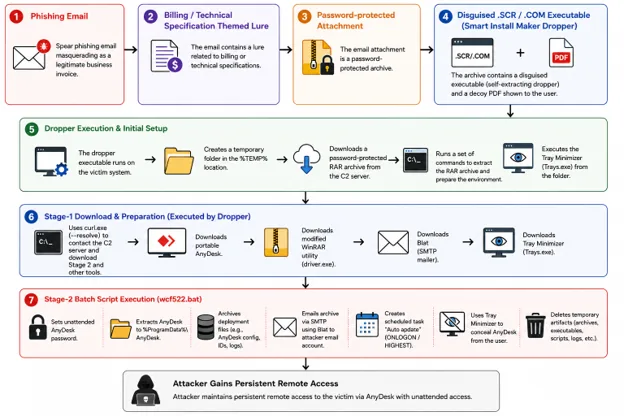
Spear-Phishing Campaign Targets Russian Aerospace Organizations Using AnyDesk and Data Exfiltration Tools
Seqrite reports a spear-phishing campaign targeting Russian aerospace organizations. The attackers impersonate the Russian research institut
 hendryadrian.com·12h ago
Hacked, leaked, and held for ransom: The worst breaches of 2026 so far
TechCrunch·14h ago
Comments
Sign in to join the conversation.
No comments yet. Be the first.