
























Practical Guidelines for Improving UX in Legacy Systems
Practical guidelines for driving UX impact in organizations with legacy systems and broken processes. Brought to you by Measuring UX Impact, **friendly video course on UX** and design patterns by…
Read the full articleYou might also wanna read


Why bad UX is often a business decision, not a design failure
Someone designed this Why bad UX is often a business decision, not a design failure. There’s a screen most people have seen at least once. Y
 uxdesign.cc·20d ago
How to measure a fail? Trying to improve the user experience.
Improving User Experience Through Software Release Announcements
A release announcement showcases how the user's experience is better today than it was yesterday. That sounds obvious, but most release anno

16 logic-driven UI design tips for improving user interfaces: a case study
A step by step UI design case study to quickly fix an example user interface using logic-driven UI design tips.
 adhamdannaway.com·22d ago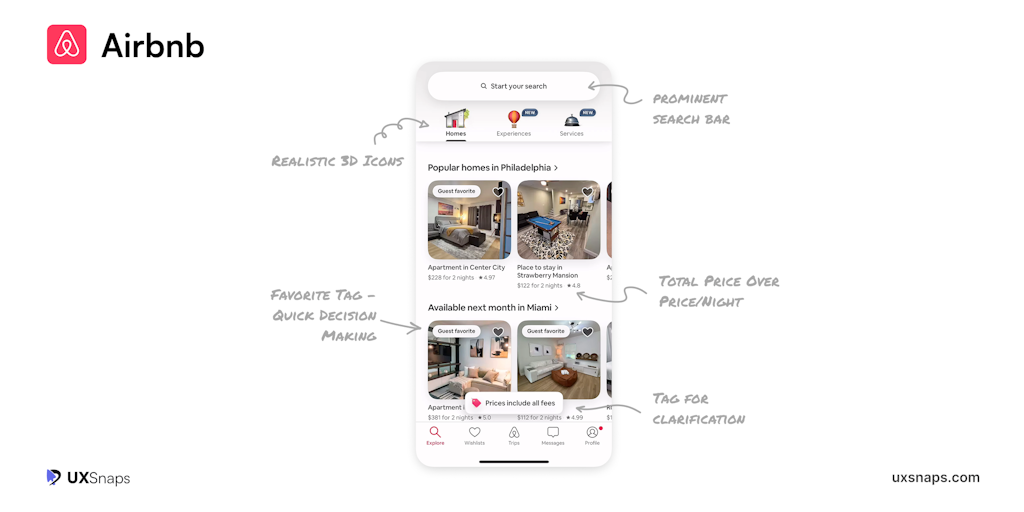
UXSnaps: Practical UI/UX Insights from Top App Breakdowns
Explore real UI/UX breakdowns from billion-dollar apps. Actionable lessons, visual insights, and patterns you can apply. Built for designers
 Product Hunt·11mo ago
User Research as Storytelling: How UX Researchers Can Make Their Insights Heard
How can user experience researchers make sure their voices are heard and their work is valued? By telling a good story. Gerry Duffy guides u
 A List Apart·2y ago
Comments
Sign in to join the conversation.
No comments yet. Be the first.