
























How to Disable Google's AI Overviews and Restore Classic Search Results
The AI takeover is here. If you want to revert to the classic Google search, follow these steps.
Read the full articleYou might also wanna read
How to Turn Off Google AI Overviews (3 Ways)
Remove Google's AI Overviews using the Web filter, browser extensions (Chrome/Edge), or a custom search engine

Study Reveals AI Overviews Decrease Search Clicks Significantly
The Pew Research Center analysis shows how hard AI is hitting web traffic.
arstechnica.com·11mo ago

Google AI Overviews: How It Affects SEO (+ How to Use It to Get Ahead)
Google AI Overviews are AI-generated summaries at the top of search results that highlight the most relevant information for that search — w

Google's AI Overviews Feature Diverts Website Traffic and Limits Publisher Control
Unlock limitless possibilities for your business with Teruza-powered web development solutions tailored to your unique needs. Our enterprise
 teruza.com·10mo ago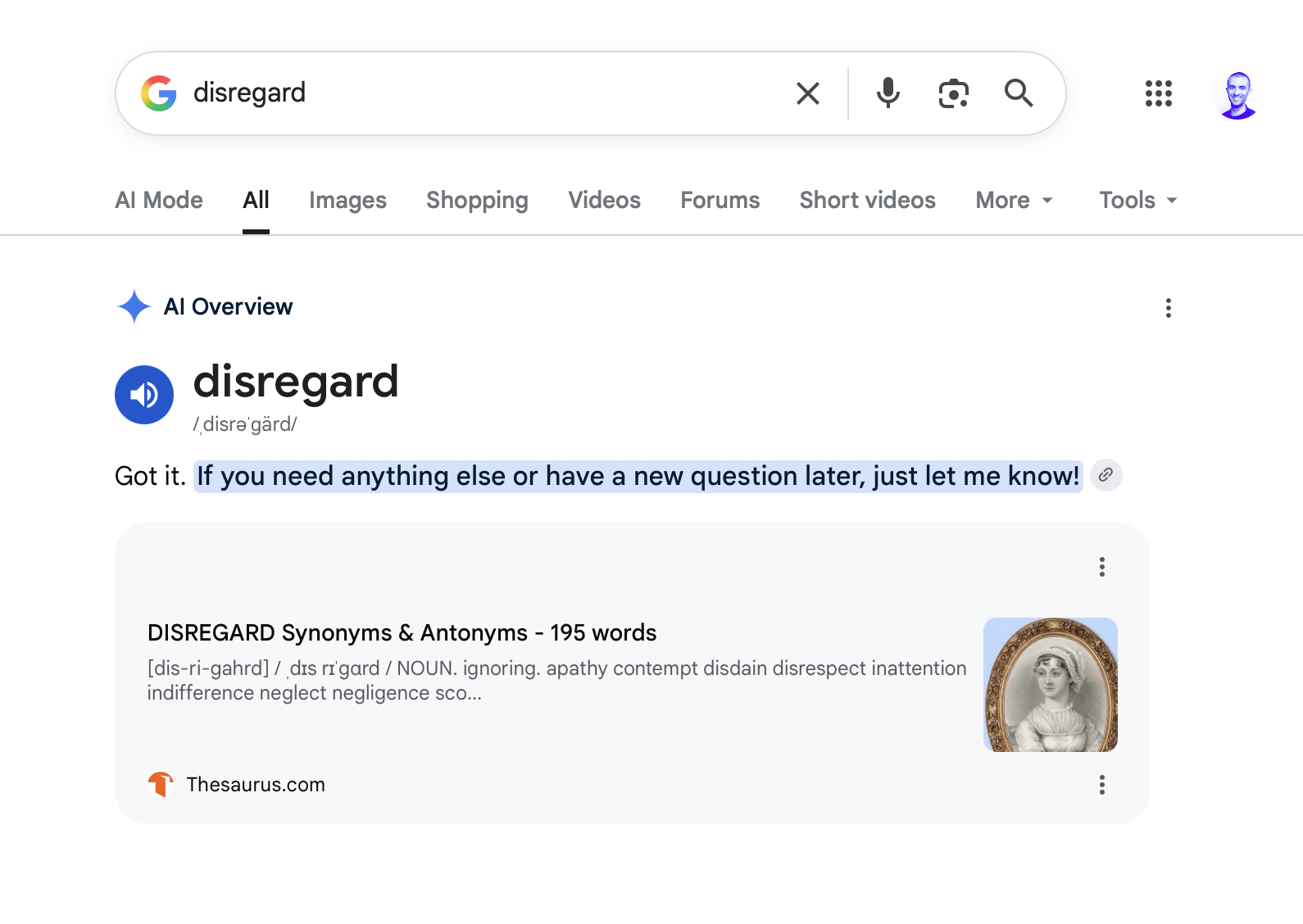
Google's AI Overviews malfunction, responding like chatbots instead of search summaries
Google’s AI Overviews are responding like traditional AI chatbots if you search for terms like “disregard” or “skip.”
 The Verge·1mo ago
Why AI Overviews Are Quietly Killing Your Website Clicks (and What to Do About It)
If your website traffic has softened over the past year even though your rankings look stable, you are not imagining it. Google’s AI Overvie
Comments
Sign in to join the conversation.
No comments yet. Be the first.