
























How to Enable Three-Finger Drag on macOS for Design Work
I have been using a Mac since 2012, and since then I have not used an external mouse (I did buy an external trackpad, and also own an iMac with trackpad incl...
Read the full articleYou might also wanna read
Recommended Way to use ipad as trackpad
So my arm was giving out reaching for the mouse and I'd like to use the ipad air m4 I have to control what I do on mac mini m4. I use a pen.
Tactile: feel a haptic tick over clickable controls anywhere on your Mac (free, open source)
I wanted to share a free, open source Mac app I made called Tactile, in case it is useful to people here. I am the developer, so I am postin


Found a solution for the macOS MouseCursor/Hover/FocusLoss/ContextMenu Bug!
TL;DR: I discovered a workaround for the frustrating macOS hover bug using an app called BetterMouse. It features an option called “Right Cl
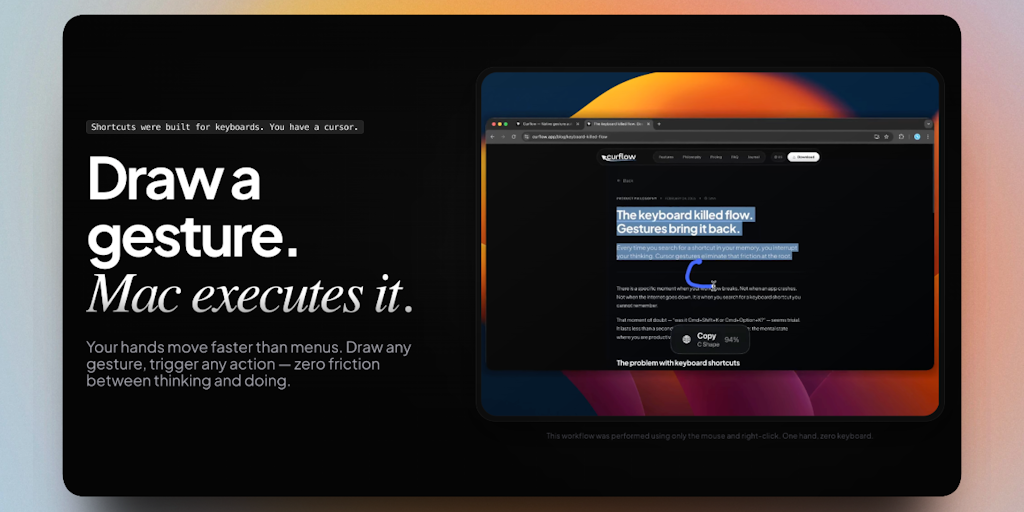
Curflow: Custom gesture control app for macOS trackpad and mouse users
Right-click + drag to close a tab. Flick down to minimize. Swipe left to go back. Works everywhere — Finder, Safari, Slack, Xcode, any app.
 Product Hunt·2mo ago
Apple's trackball Apple Pencil patent: Drawing on walls just became possible
Apple just dropped a patent that could completely change how we think about the Apple Pencil. We're talking about a stylus that doesn't need
macOS code hints at Apple developing touchscreen MacBook
New leaks suggest a touchscreen MacBook is getting closer to reality. macOS code discoveries and supply chain reports reveal Apple's possibl
 true-tech.net·1mo ago
Comments
Sign in to join the conversation.
No comments yet. Be the first.