
























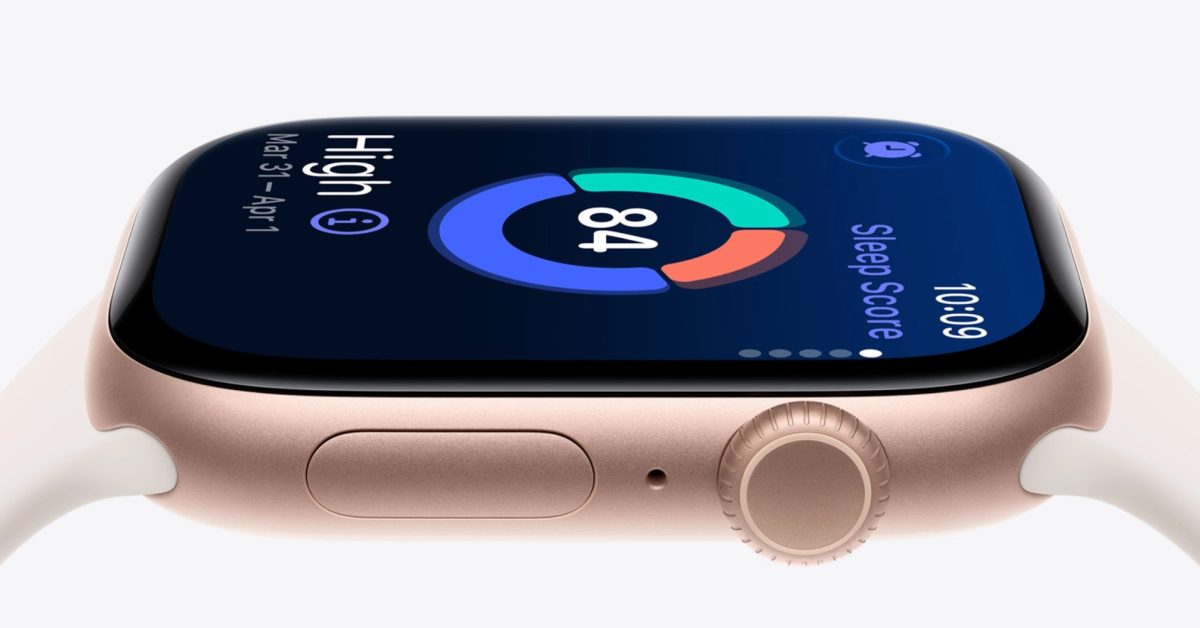
How to make Apple Watch sleep score more useful with notification range settings
By
Zac Hall
2h ago· 3 min readen
Summary
A brief article explaining how the Apple Watch's sleep score feature in watchOS 26 can be made more useful by customizing sleep score notification ranges. The author shares their personal experience with the feature and highlights one specific setting adjustment that improved their experience.
Source
 bskyHow to make Apple Watch sleep score more useful with notification range settings9to5mac.com
Key quotes
· 3 pulledSleep score has been a useful Apple Watch feature for me since it arrived in watchOS 26.
There's one setting in particular that has made sleep score especially useful for me.
You can receive sleep score notifications for specific ranges
Apple Watch includes a built-in sleep tracking feature. Just wear your Apple Watch to bed, and it works automatically. No...
You might also wanna read


iOS 26.4 Always Play on iPhone Alarm Feature Explained for Apple Watch Users
Gadget Hacks·19d ago

watchOS 27 has brand new default Home Screen for Apple Watch
9to5mac.com·6d ago
Apple Updates Blood Oxygen Feature for Select Apple Watch Models
Apple is updating the Blood Oxygen feature for select Apple Watch models, including Series 9, Series 10, and Ultra 2, emphasizing its commit
apple.com·10mo ago

Understanding the Impact of Noise on Sleep Using Consumer Devices
The article discusses the impact of noise on sleep, particularly focusing on how consumer devices like the Apple Watch can measure noise lev
empirical.health·1y ago
watchOS 27 Siri Upgrade: AI Assistant and Perimenopause Tools Explained
Gadget Hacks·26d ago

Thinking about going Fitbit Air - am I crazy?
MacRumors·1d ago
Comments
Sign in to join the conversation.
No comments yet. Be the first.