





















Prompt Library: Save and Organize AI Prompts for Quick Access on Mac
By
Martin Baudin
3mo ago· 1 min readenProduct

38/100
Stale
Bagelometer↗
Tired, dry, slightly forgotten on the back of the tray.
Score38Typepress releaseSentimentpositive
Summary
A productivity tool called Prompt Library that allows users to save, organize, and quickly insert AI prompts into any Mac application using a keyboard shortcut (⌘⌥P). The tool helps users manage their prompt collections efficiently.
Key quotes
· 3 pulledSave, tag, and organize prompts in collections
Press ⌘⌥P to instantly insert them into any app on your Mac
All your best prompts. One shortcut away
Save, tag, and organize prompts in collections, then press ⌘⌥P to instantly insert them into any app on your Mac.
You might also wanna read

From Prompt To Partner: Designing Your Custom AI Assistant — Smashing Magazine
 Smashing Magazine·8mo ago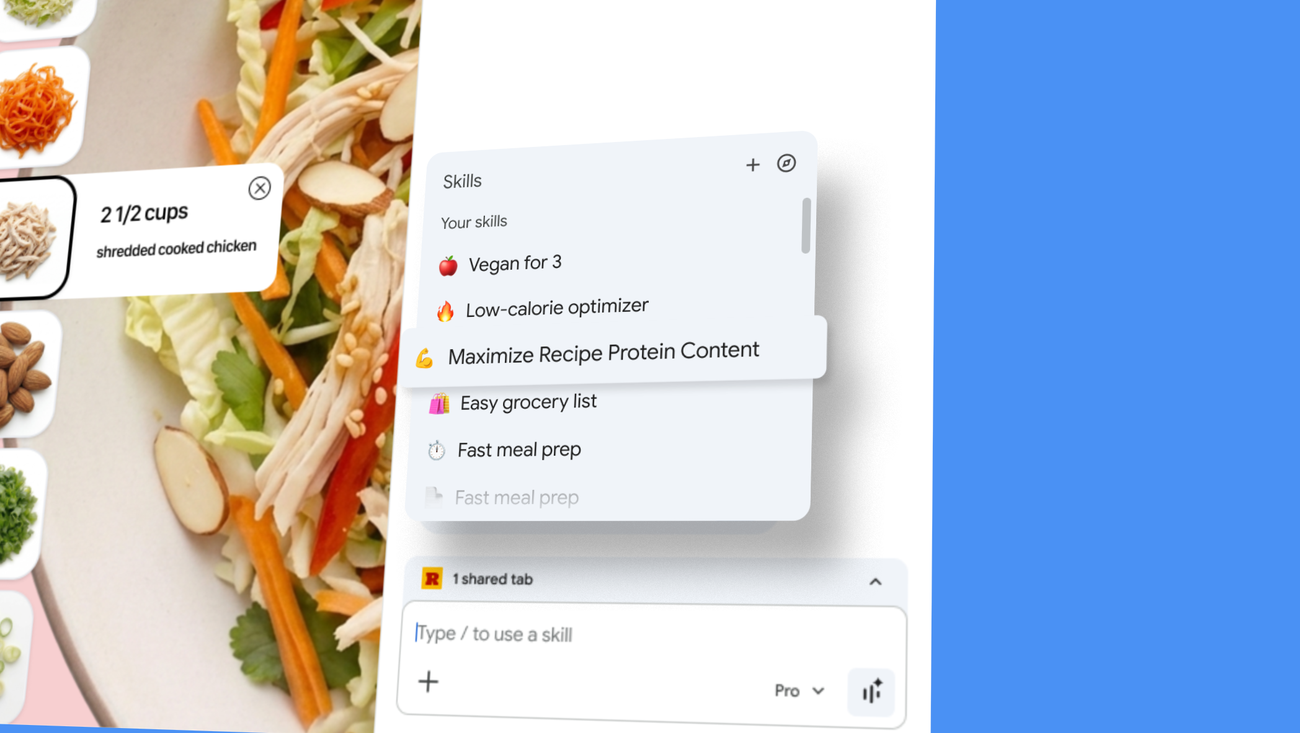
Google Chrome Introduces 'Skills' Feature to Save and Reuse AI Prompts as One-Click Tools
Google is introducing 'Skills in Chrome,' a new feature that allows users to save and reuse their most helpful AI prompts as one-click tools
 blog.google·1mo ago
Seeva AI Assistant: Spotlight-Style Overlay for Quick AI Access Without App Switching
Seeva is an AI assistant overlay tool that functions like macOS Spotlight, allowing users to quickly access AI assistance without switching
 github.com·6mo ago
Advanced AI Prompting Techniques for Product and Design Workflows
The article explores advanced AI prompting techniques for product and design workflows, emphasizing how these methods can enhance research,
Smashing Magazine·9mo ago