





















Google Launches Gemini AI Desktop App for Mac with Floating Chat Interface
By
Emma Roth

Baker's choice. Dense with flavour, light on filler.
Summary
Google is launching a new Gemini AI app for Mac that allows users to interact with the AI assistant directly from their desktop without switching windows. The app features a floating chat bubble accessible via Option + Space shortcut, enabling users to ask questions and share their screen content with Gemini after granting permission. The assistant can then pull information from what the user is viewing to provide relevant answers, functioning similarly to Apple's upgraded Spotlight feature.
Key quotes
· 5 pulledGoogle is launching a new Gemini app on Mac that allows you to interact with the AI assistant without switching windows on your desktop.
With the app, you can use the Option + Space shortcut to pull up a floating chat bubble, where you can ask Gemini questions and share your window.
Before sharing your window, you'll need to give Gemini permission to access your system's information before sharing your window.
From there, the AI assistant will pull information from what you're looking at to help answer your question.
It looks a bit like Apple's upgraded version of Spotlight, which you can now us
You might also wanna read

Google Launches Gemini AI with Interactive 3D Visualizations and Simulations
Google has launched Gemini, its largest and most capable AI model that is multimodal and can understand and operate across text, images, aud
 Product Hunt·1mo ago
Google Gemini AI Adds Interactive 3D Visualizations and Simulations
Google has launched the 14th version of its Gemini AI model, which now features interactive 3D visualizations and simulations. Users can ask
Product Hunt·9mo ago
Google Integrates Gemini AI Assistant Directly into Chrome Browser
Google has integrated its Gemini AI assistant directly into the Chrome browser, allowing users to access AI features without switching tabs.
Product Hunt·2mo ago
Google Integrates Gemini 3 AI Features into Chrome Browser
Google is introducing major updates to Gemini AI integration in Chrome for MacOS, Windows, and Chromebook Plus, powered by the new Gemini 3
 blog.google·4mo ago
Google Integrates Gemini AI Assistant Directly into Chrome Browser
Google is integrating its Gemini AI assistant directly into the Chrome browser, providing contextual AI assistance that works with users' op
 gemini.google·8mo ago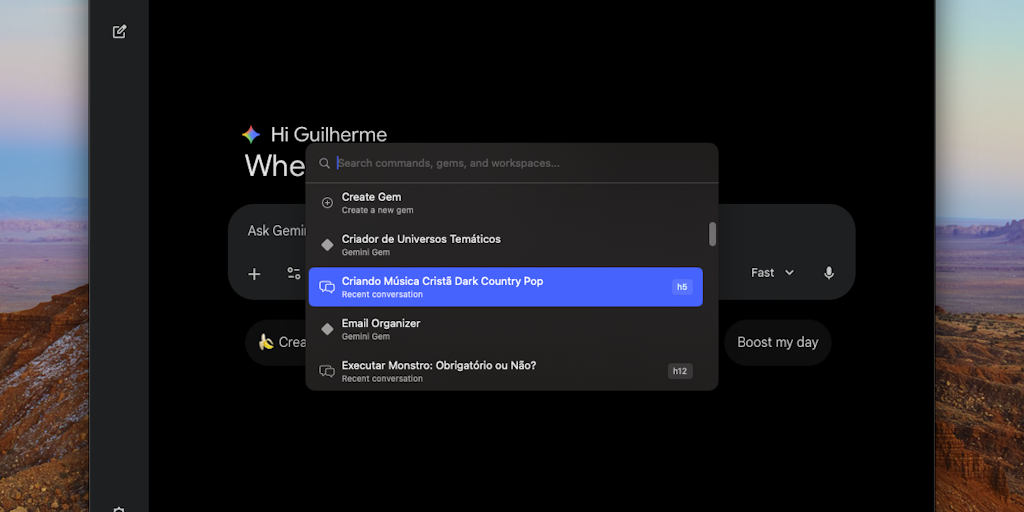
Gemlet: Native Keyboard-First Gemini Client for macOS
Gemlet is a native macOS application that serves as a keyboard-first client for Google's Gemini AI. It allows users to access Gemini instant
Product Hunt·3mo ago